

ChatGPT Business Hub is OpenAI’s new free tool for claiming your business inside ChatGPT, live in beta since November 10, 2026. We claimed Telos Creative the day it launched. You find your listing, claim it and pass an ID check, and then you can edit your profile and see how often ChatGPT mentions you and how many clicks it sends you.
I’m Arnold Jakobsen, founder of Telos Creative in Windsor, Colorado. When posts started calling this “ChatGPT’s Search Console,” we didn’t want to guess what it does, so we claimed our own profile and took a picture of every screen. Below is exactly what happened, what we can do with it so far, and the part the excitement gets wrong.
What Is ChatGPT Business Hub?
Business Hub is a section of ChatGPT where you find your business, prove you run it and manage what ChatGPT shows about it. OpenAI announced it on November 10, 2026, as a beta called Businesses in ChatGPT.
If you have a Google Business Profile, the idea will feel familiar. You claim the listing, keep the facts right and get some numbers back. The numbers are why people compare it to Google Search Console: for the first time, ChatGPT tells a business how often it came up in answers and how many people clicked through to its website.
How Do You Claim Your Business In ChatGPT?
Here’s how it went for us, step by step, with OpenAI’s help page filling in what we didn’t see ourselves.
1. Open Business Hub
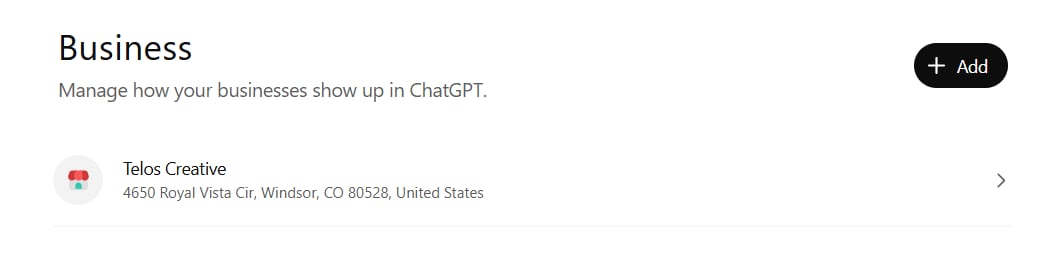
Sign in to ChatGPT and go to chatgpt.com/business-hub. The page is called Business, and it says “Manage how your businesses show up in ChatGPT.” Search for your business by name and select the listing that matches.
2. Claim your listing
ChatGPT already had a listing for Telos Creative, with our office address in Windsor. The claim screen said “You can manage this profile with your current account.” We were signed in with an email address on our own website’s domain, and we weren’t asked for anything else at this point.
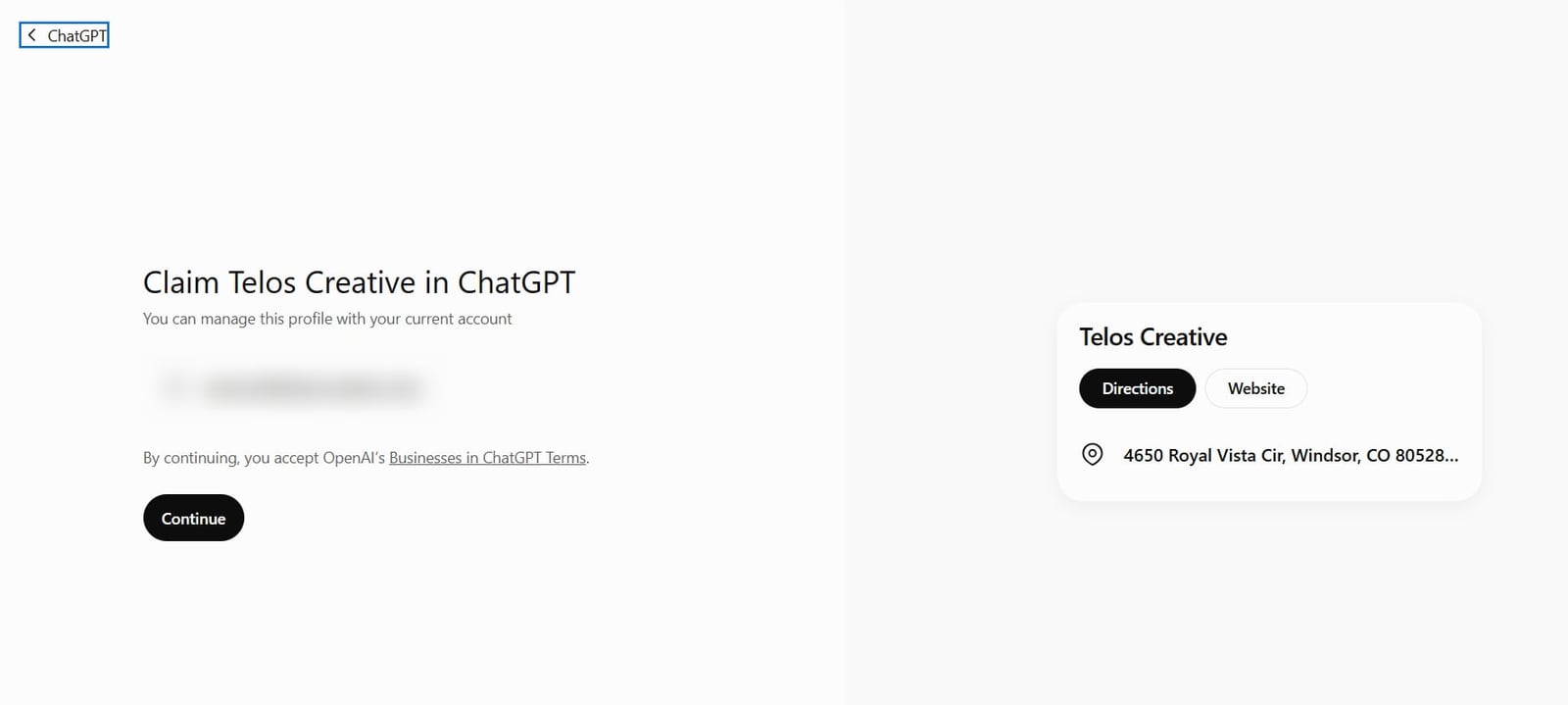
If you’re asked to verify, OpenAI offers a code by text or phone call to your business number, a code to your business email, a TXT record added to your website’s domain settings, or your Shopify store.
3. Wait for the review
OpenAI reviews the claim and emails you its decision. Ours came back approved, and the next screen read “You’ve claimed Telos Creative.”
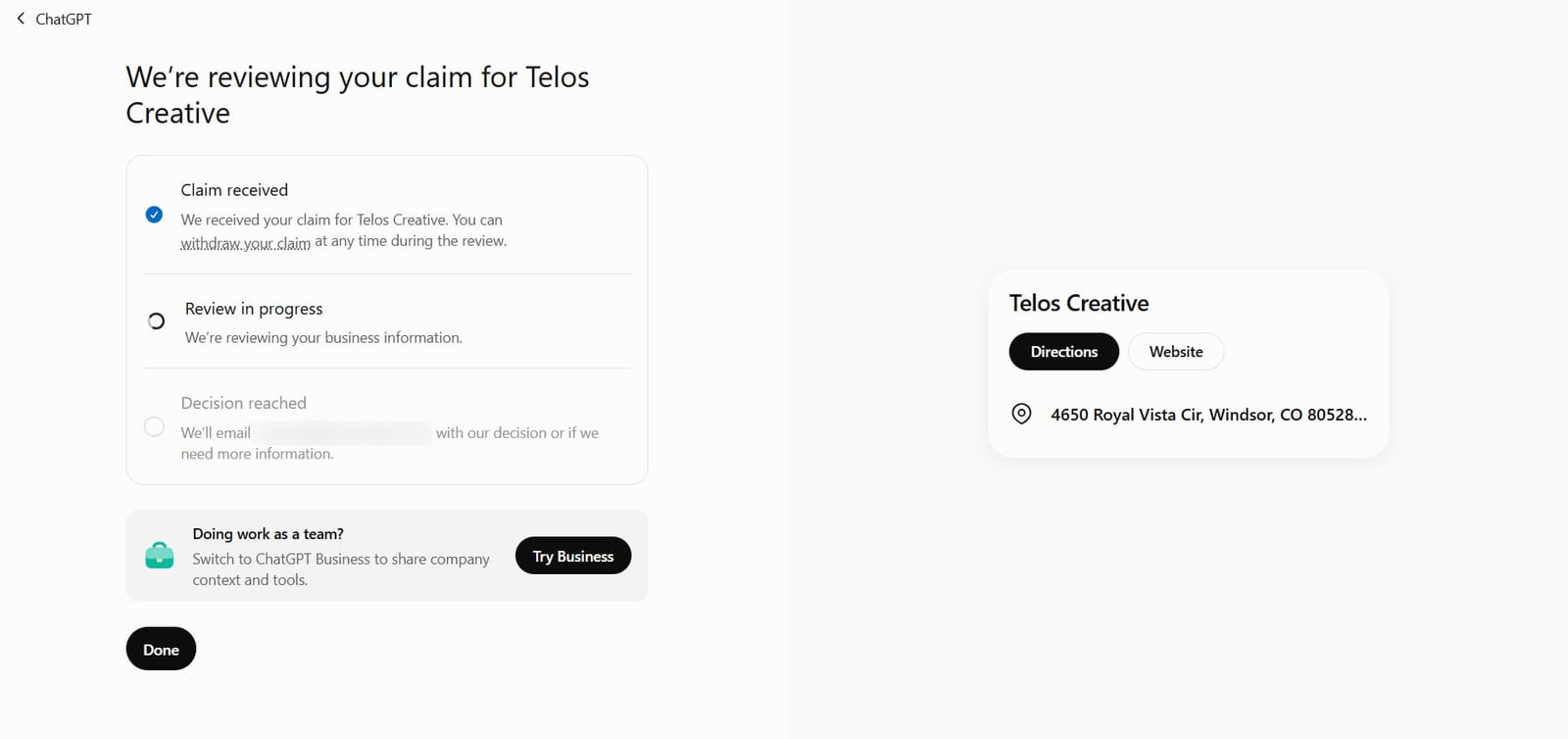
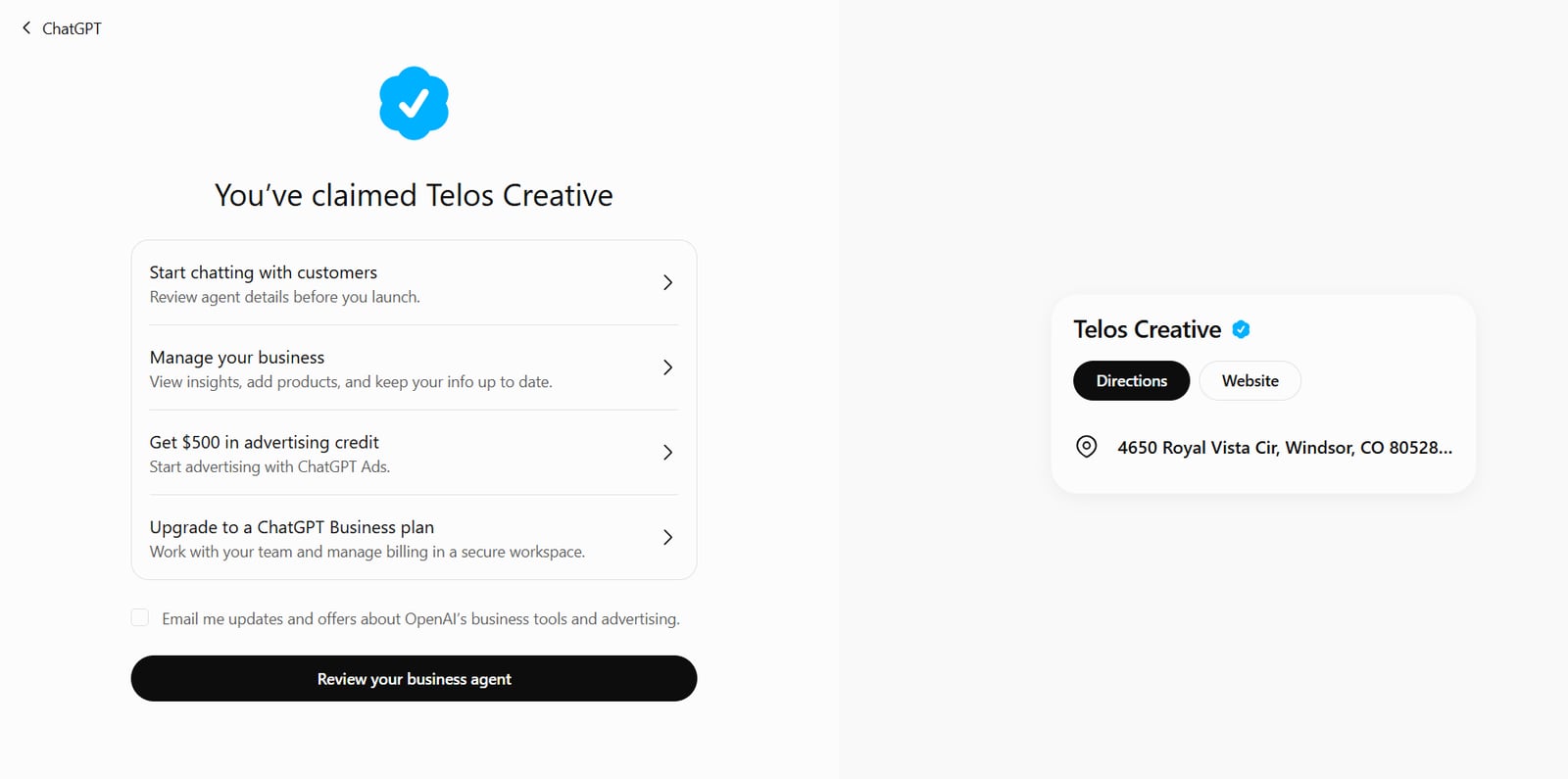
4. Pass the ID check
The claim gets you in the door. Before you can change anything, you have to pass an identity check run by a company called Persona. The banner at the top of our dashboard says it plainly: “Verify your identity with a government-issued ID. To keep your business secure, this is required before editing business info or publishing your business agent.”
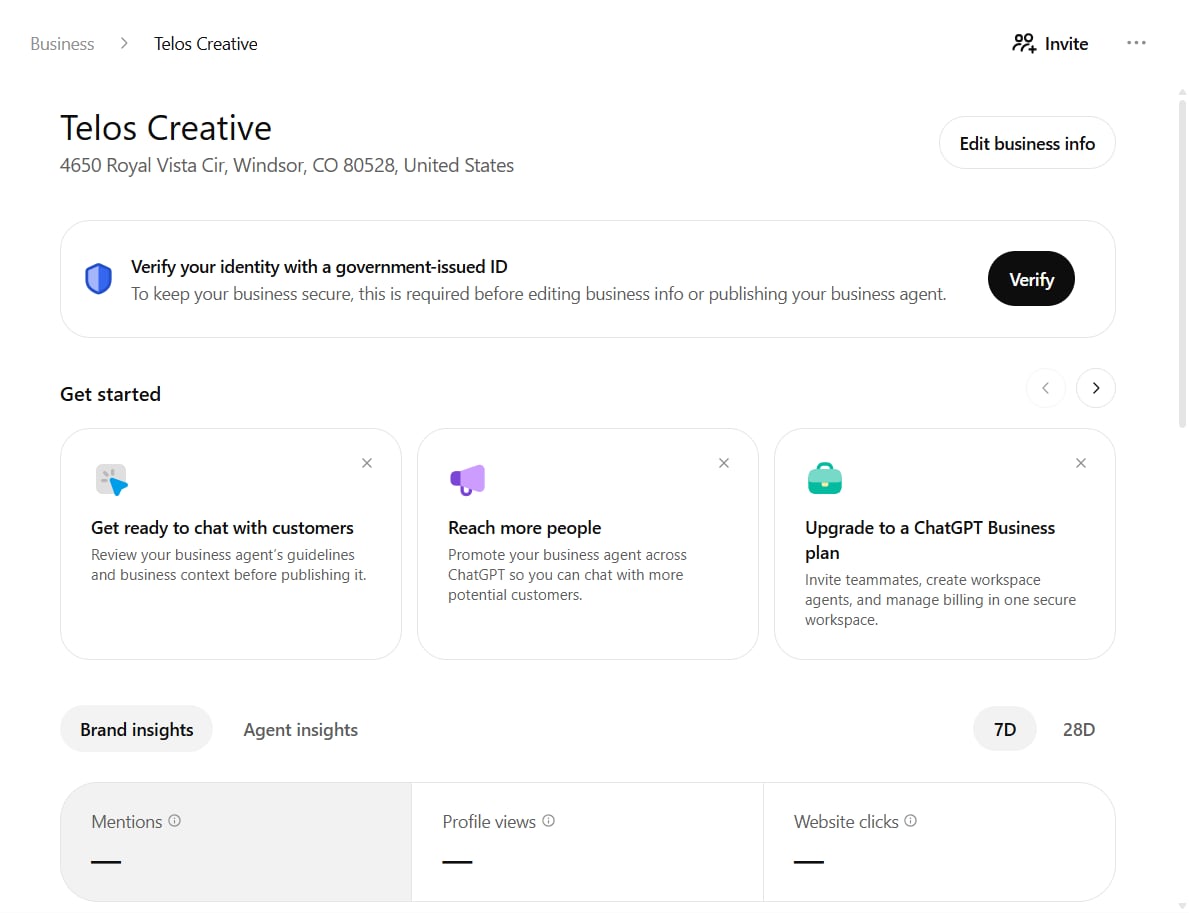
When we clicked Edit business info anyway, we got this:
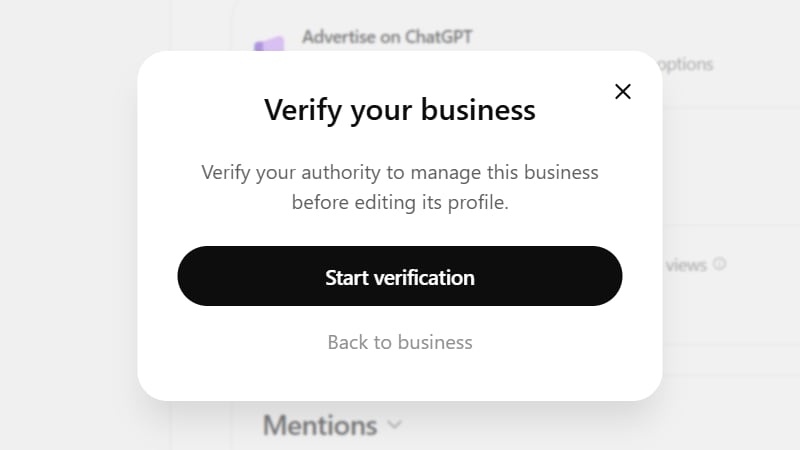
OpenAI’s help page says the check can ask for a government-issued ID, your business registration details and proof that you’re allowed to represent the business, and that the name, address and any registration or tax number have to match your official records. That’s our next step, and the first edit after it is our logo (more on that below).
What Does The Business Hub Dashboard Show?
Three numbers sit at the top, over 7 or 28 days: mentions, profile views and website clicks. On our first day all three were blank, with the note “Once there are enough mentions, you’ll see trends here.” Under them sit a chart, a box called Website access and a list of the top 5 discovery topics, which are the themes of the answers that mentioned you.
How OpenAI counts them matters:
- Mentions. For an online business, a mention counts when ChatGPT references your website, and your brand name on its own doesn’t count. For a local business, a mention counts every time ChatGPT shows your location as a result, even if nobody opens it.
- Profile views. The dashboard says these count opens of your profile in ChatGPT.
- Website clicks. Clicks on the website link. OpenAI’s own note, as Search Engine Roundtable reported, says “Clicks don’t confirm website visits or conversions.”
You never see the actual questions people typed. And a small business may see blanks for a while, because numbers only show once activity passes a threshold OpenAI doesn’t publish.
The Website access box surprised us. The website on our listing was our Windsor marketing page, not our homepage. There’s a Check website button, so we pressed it, and the box changed to “Check requested.”

When your numbers do show up, put them next to the visits from chatgpt.com in your Google Analytics. A click in ChatGPT and a visit on your site are counted in different places, so expect the two to differ.
What Does Your ChatGPT Profile Look Like To A Customer?
This was the most useful thing we learned. We signed out, opened ChatGPT the way a customer would, and asked about “Telos Creative in Windsor, Colorado.”
The chat answer was good. It gave our 4.8 stars from 53 Google reviews, our address, phone and hours, and described us as “a marketing, branding, and website design agency based in Windsor, Colorado, led by founder Arnold Jakobsen.” It got those facts from our website.
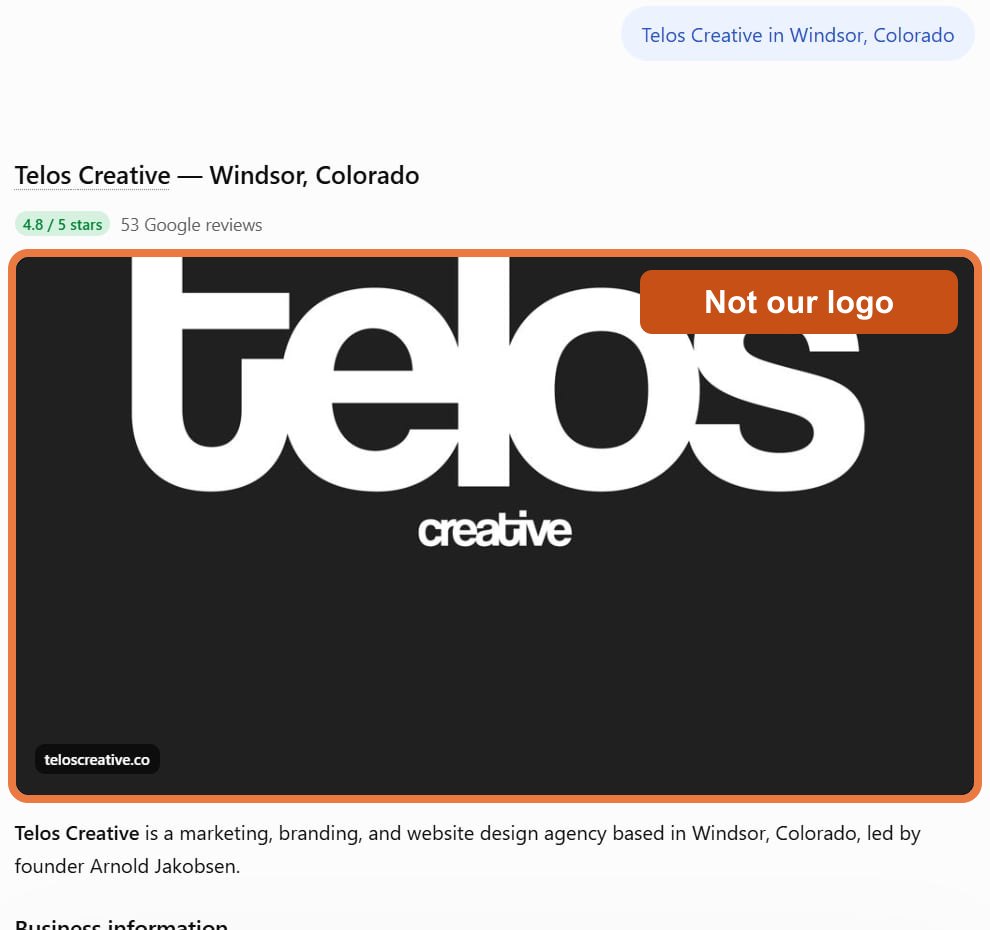
It got one thing wrong, and it’s a big one: the logo. The black “telos creative” wordmark at the top of that answer isn’t ours, and the image is labelled teloscreative.co, a different website from teloscreative.com. ChatGPT matched our name to someone else’s picture. This is exactly the kind of mistake a claimed profile is meant to fix, so once our ID check is approved, uploading our real logo is the first change we’ll make, and we’ll add the after picture to this article.
Then we opened the profile card, the panel with the Get Quote, Directions, Website and Call buttons. Its description said “detailed, independently verified information about its current services is limited.” Signed in as us, the same profile showed a blue check. Signed out, there wasn’t one.
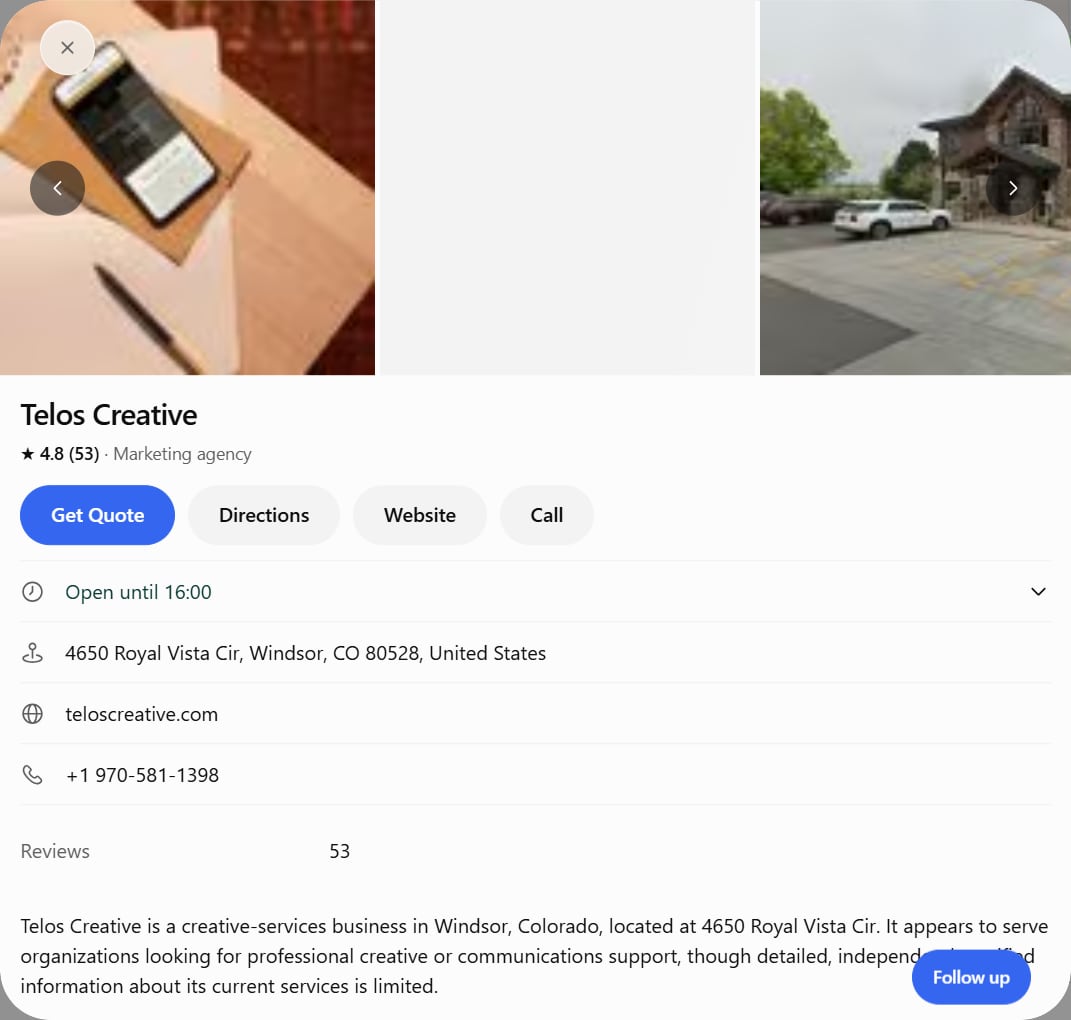
So your website is already doing most of the talking in ChatGPT’s answers, which is one more reason to keep it clear and current. The profile description is the part you fix yourself, once your ID check is approved.
Will Claiming Your Business Make ChatGPT Recommend You More?
No, and this is where the LinkedIn posts get ahead of themselves. OpenAI’s help page says claiming “doesn’t guarantee increased visibility or give you direct control over ChatGPT’s independent recommendations.” It also says advertising doesn’t influence those answers, which is worth remembering when the $500 ad credit offer pops up.
Claiming gives you control of your facts and a look at your numbers. Getting recommended still comes from the same work as before. Your website has to show up in search, your details have to match everywhere you’re listed, your pages have to answer a customer’s question plainly, and real customers have to review you. We cover all of it in our guide on how to get recommended by ChatGPT.
I tell my clients all the time: make it simple and make it clear. That goes for your Business Hub description too. Say who you help, what you do for them and where, in the words a customer would use.
What Is A ChatGPT Business Agent?
A Business Agent is a chat inside ChatGPT that answers customer questions about your business, using the information you give it. OpenAI says it’s for eligible ecommerce and online service businesses in the U.S. with a website, and your industry has to meet its Business Agents Policy. It can’t take a payment, make a booking or look up an order. It explains, then links to your website.
Our dashboard has an Agent builder tab, and on day one it said “Agent builder isn’t available yet. We’re gradually rolling out this feature to different types of businesses.”
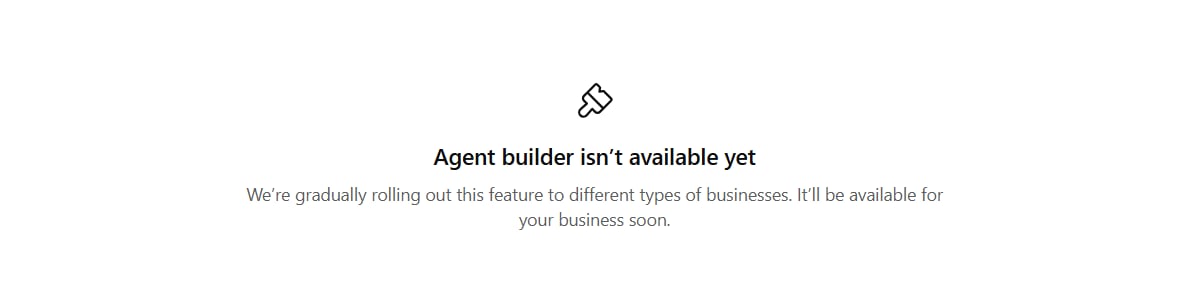
If you want an assistant that answers your calls and website chats today, that’s the job our AI assistant for local businesses does. It’s also Theo, the bear in the video above.
Can A Local Business Claim A Profile In ChatGPT?
Yes, if ChatGPT already has a listing for you, as it did for us. OpenAI’s help page says local stores and restaurants can currently claim only an existing U.S. listing. A few more rules matter:
- Each location is separate. Claiming the main brand doesn’t claim its locations.
- If your listing says Contact support, it’s locked, and you ask OpenAI for access from there.
- OpenAI says in its policy that it may hold off on some types of business until it has the right safeguards.
- Support can’t delete or hide a published profile. Only drafts can be deleted, so write your description carefully the first time.
OpenAI doesn’t say where ChatGPT gets its local listings from. Our card showed our Google rating and review count, and that’s one more reason to keep your business name, address and phone number exactly the same on your website, your Google Business Profile and every directory you’re listed in.
Should You Claim Your Business In ChatGPT Now?
Yes, if ChatGPT already lists you. Here’s what it gets you:
- You get there first. Barry Schwartz of Search Engine Roundtable, who claimed his own business on launch day, wrote that he’s “honestly nervous about people hijacking businesses on here.” Claiming yours is the simplest protection.
- You control your facts, once the ID check is through: website, description, category, logo and cover photo. OpenAI reviews each change before it goes live.
- You see how often ChatGPT shows you. Your analytics can show visits from chatgpt.com. They can’t show the times ChatGPT named you and nobody clicked.
Can Your Marketing Agency Claim It For You?
Partly. Our dashboard has an Invite button that opens “Invite business admins,” where you add people by email, and OpenAI’s help page says the person who claims the business can give an agency access too. Each person signs in with their own ChatGPT account.
The ID check stays with you, because it asks for proof that you can act for the business. If you’d like help, the simplest way is this: you claim your listing and pass the ID check, add Telos Creative as your agency, and we take care of the details and keep an eye on your numbers from there. It sits alongside the rest of our AI search optimization work.
Questions About ChatGPT Business Hub
Is ChatGPT Business Hub free?
Claiming our business cost nothing. OpenAI lists no fee for it, and you don’t need an ads account or a ChatGPT Enterprise agreement. Business Hub launched as a beta on November 10, 2026.
How long does it take to claim a business in ChatGPT?
The claim itself is a few screens: find your listing, confirm the account that will manage it, verify, and wait for OpenAI’s review, which comes by email. The identity check with Persona is a separate step, and OpenAI says review times vary.
Can I see what people asked ChatGPT about my business?
No. Business Hub shows discovery topics, which are the common themes in ChatGPT answers that mentioned your business. OpenAI does not share individual prompts or conversations with businesses.
Does Business Hub cover Google AI Overviews or Gemini?
No. Business Hub reports on ChatGPT only. Google’s AI answers, Gemini, Perplexity and Claude each work separately, and none of them shows up in Business Hub.
What if someone else already claimed my business in ChatGPT?
Open the profile, select the more options menu and choose Dispute ownership. You then verify through Persona that you are authorized to represent the business, and OpenAI reviews it.
Why are my numbers blank in Business Hub?
Ours were all blank on day one. OpenAI says a blank metric can mean activity hasn’t reached its reporting threshold, the data is still being collected, or reporting isn’t available, and that it doesn’t necessarily mean zero activity.
Want to know how your business shows up right now? Run our free website audit, or get in touch and we’ll look at it with you. If ChatGPT never names you, start with why AI doesn’t mention your business.
I’m Arnold Jakobsen, founder of Telos Creative and a StoryBrand Certified Guide. We build websites and get local businesses found on Google and in AI answers, serving Fort Collins, Loveland, Greeley and Northern Colorado from our office in Windsor. And I want you to win.